01Count activity
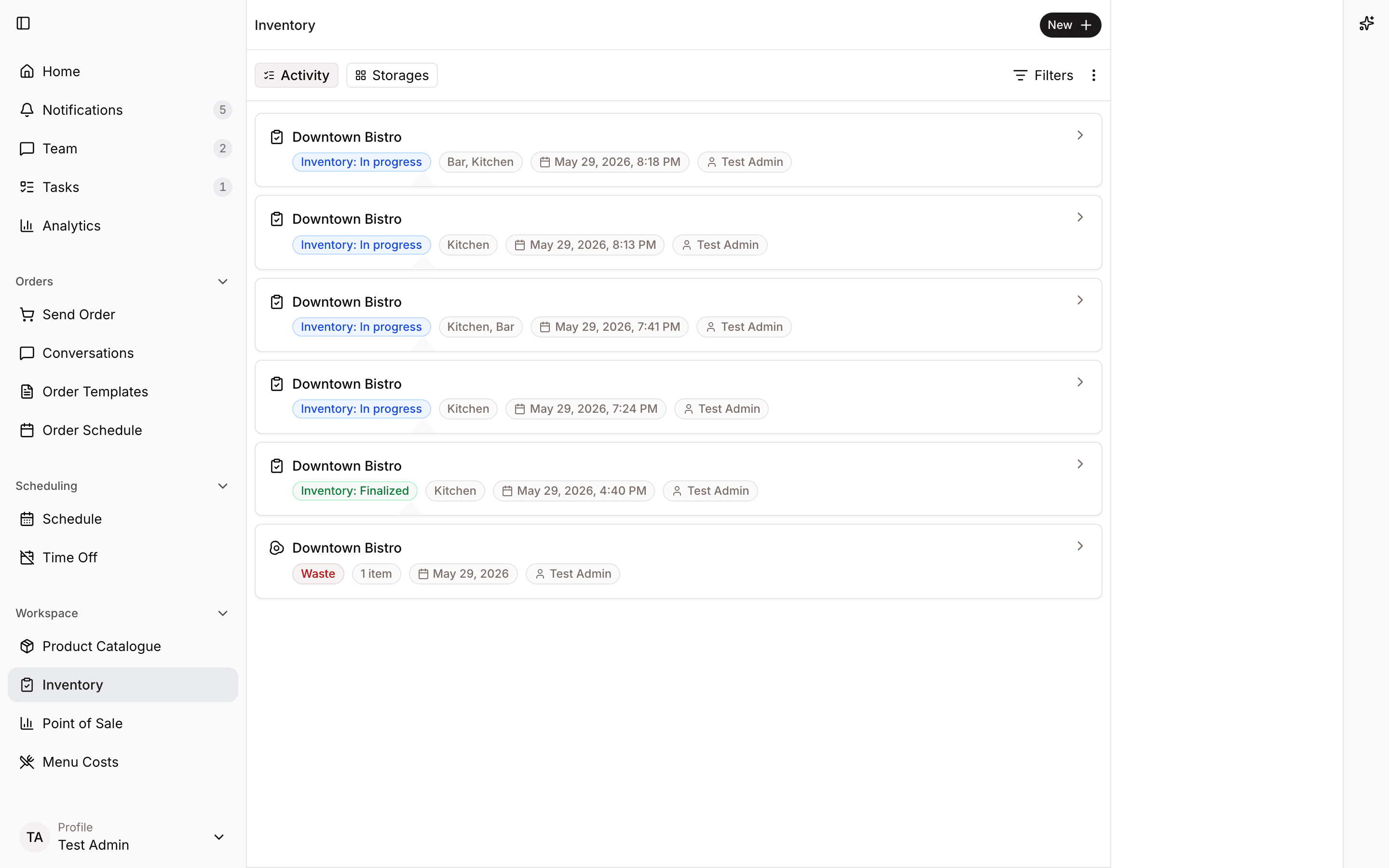
Track count activity by storage area so managers can see what is finished and what still needs review.
Inventory
Count by area, keep product units consistent, and give every location a clearer way to capture stock.
June stock count
3 locations in progress
Walk-in
42 products
Dry storage
76 products
Bar
31 products
149
products counted
12
items to review
Walk-in, cellar, bar, and dry storage counts stay organized by the places staff know.
Products can be counted in the units teams actually see on the shelf.
Managers can compare progress and spot missing counts before closing the period.
Product proof
Real product views from a demo restaurant show how the work looks once it moves into Spensa.
Track count activity by storage area so managers can see what is finished and what still needs review.
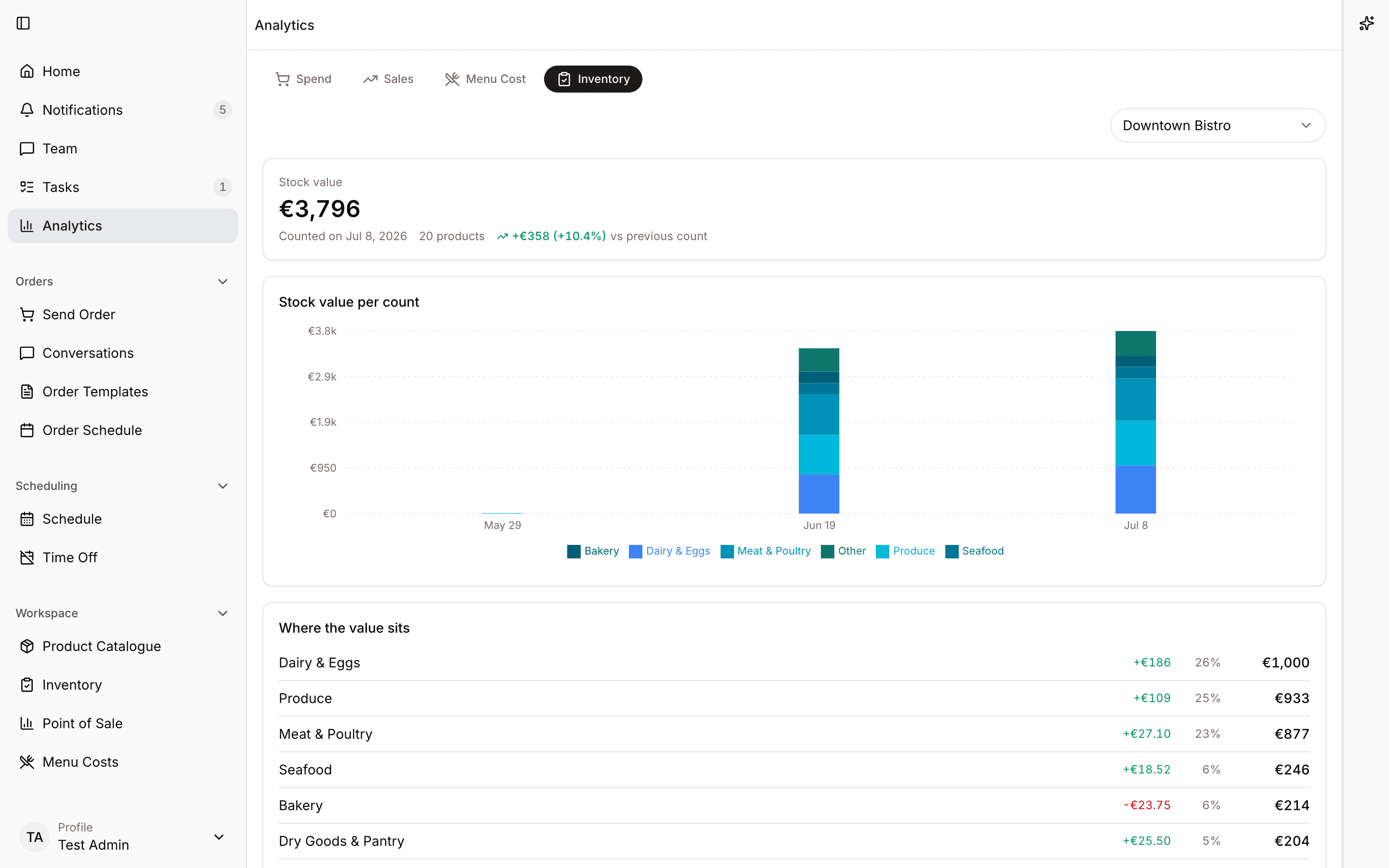
Turn finished counts into stock value trends using the latest known product prices.
Workflow
Spensa keeps inventory structured while staff move through storage areas with a simple capture flow.
More from Spensa
See how Spensa fits your restaurants.
Book a demo