01Schedule grid
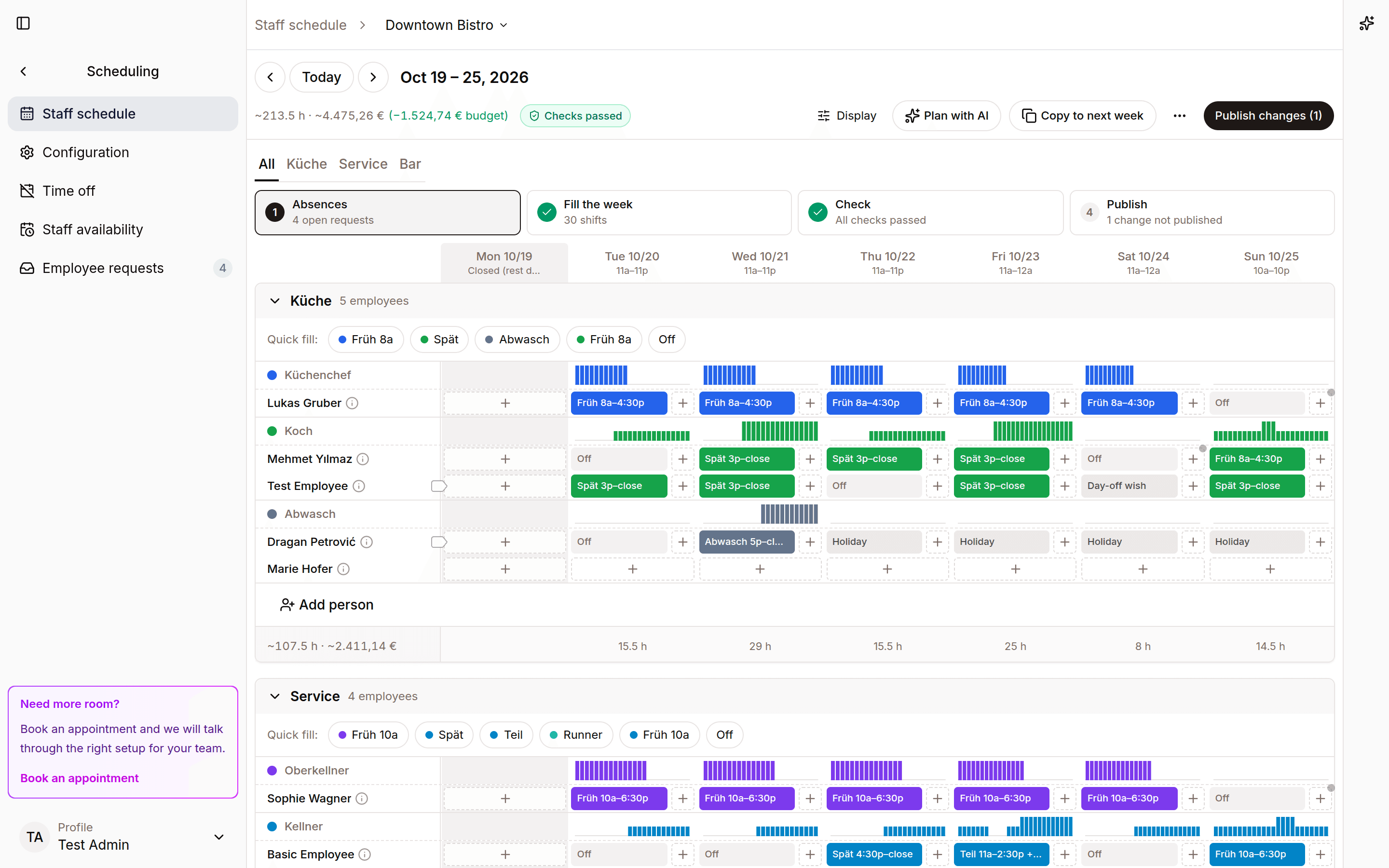
Plan the week in a shared schedule view with roles, times, and location coverage visible together.
Scheduling
Build the week by location, keep time off visible, and handle requests before they become side conversations.
Week schedule
Mitte location
Kitchen
08:00 - 16:00
Service
12:00 - 22:00
Bar
18:00 - 01:00
Draft a week from roles, time off, and recent staffing patterns, then edit it before publishing.
Time-off requests live next to the schedule.
Managers can move between locations while staff see the schedule that matters to them.
Product proof
Real product views from a demo restaurant show how the work looks once it moves into Spensa.
Plan the week in a shared schedule view with roles, times, and location coverage visible together.
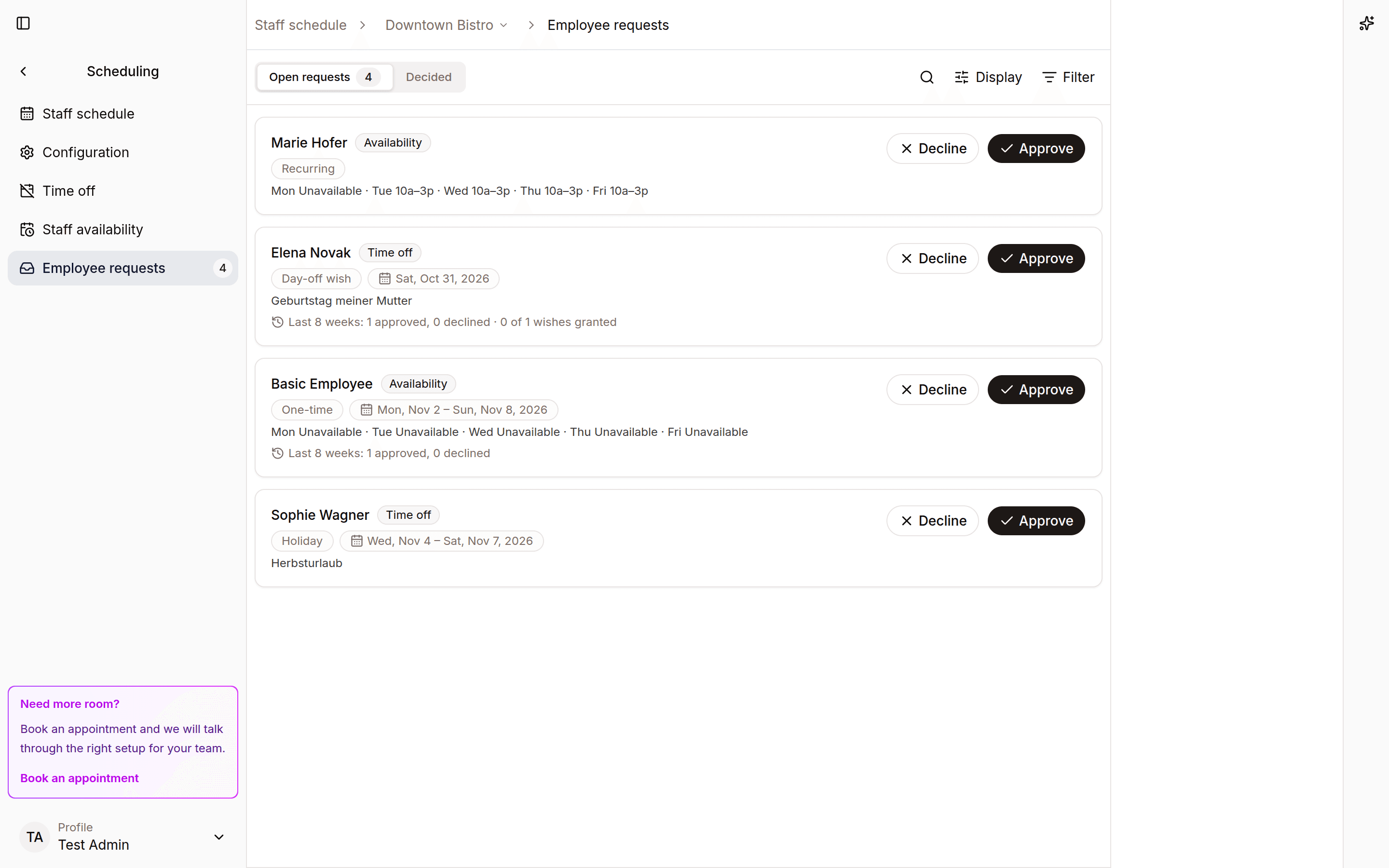
Review time off requests from the same scheduling workspace.
Workflow
Spensa keeps scheduling close to the team data managers already use, so changes are visible before the week goes live.
More from Spensa
See how Spensa fits your restaurants.
Book a demo