01Task board
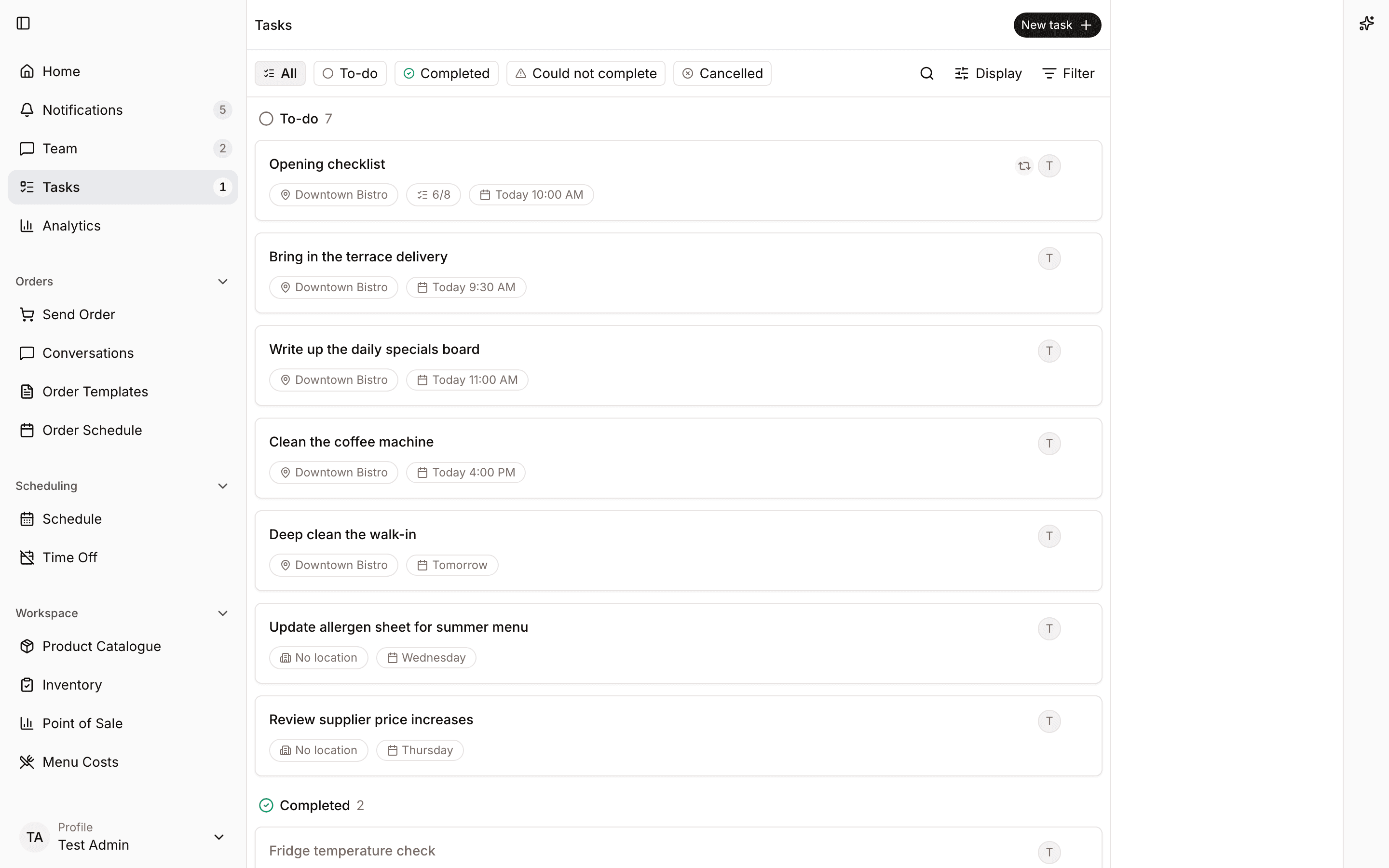
Keep restaurant follow-up in one board so managers can see what is open, assigned, and done.
Tasks
Create and assign the work that comes out of stock checks, service notes, maintenance, and manager handovers.
Operations tasks
4 open today
Check freezer variance
Assigned to Lena
Confirm patio repair
Due today
Review olive oil pricing
Manager follow-up
Every task has an assignee, status, due date, and location context.
Managers can create follow-up for office, floor, kitchen, or maintenance work without another tool.
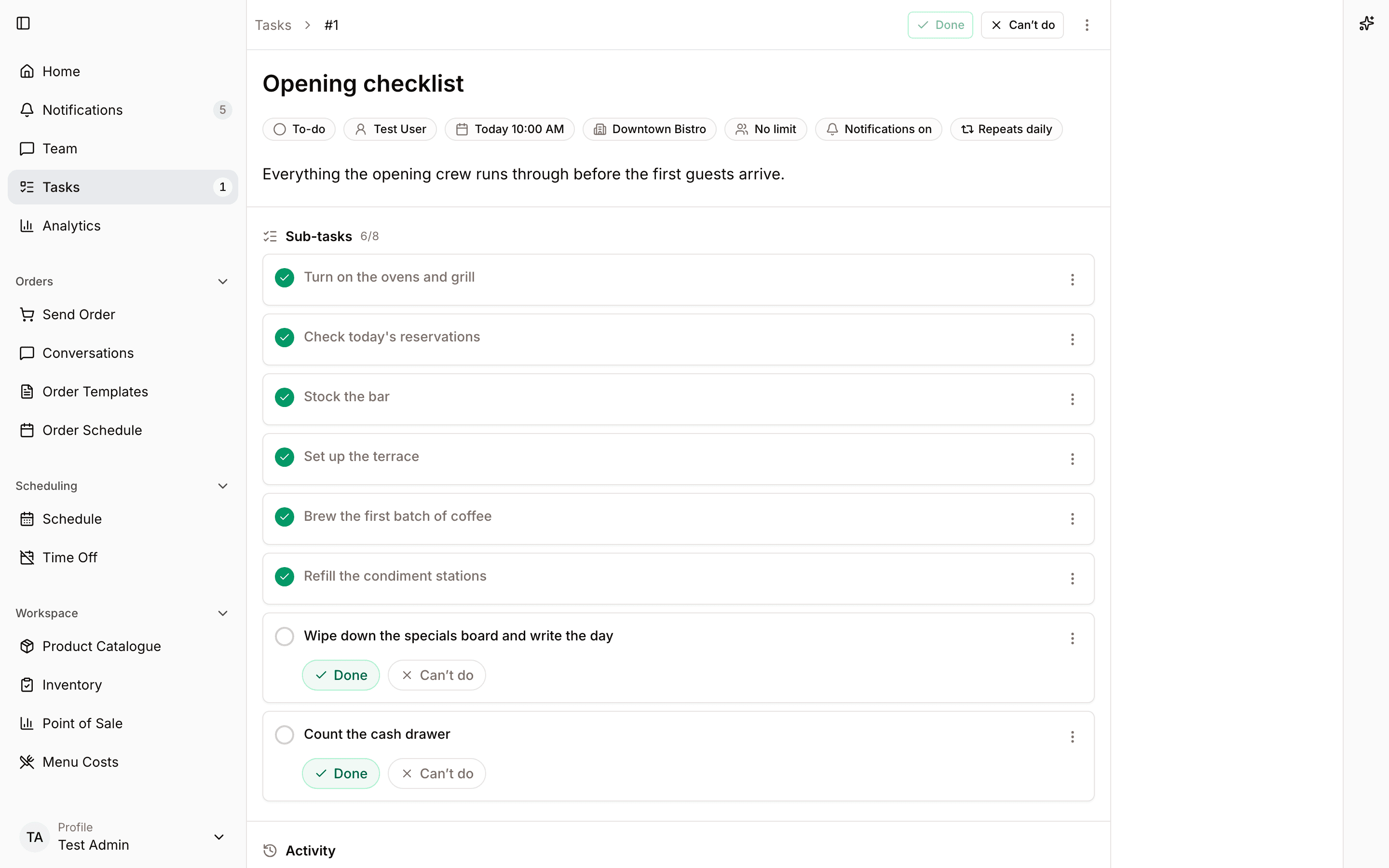
Comments and updates stay with the task instead of disappearing into chat.
Product proof
Real product views from a demo restaurant show how the work looks once it moves into Spensa.
Keep restaurant follow-up in one board so managers can see what is open, assigned, and done.
Open a task to see ownership, status, comments, and the context needed to finish it.
Workflow
Spensa turns operational follow-up into trackable work without making staff learn a project tool.
More from Spensa
See how Spensa fits your restaurants.
Book a demo